Mac menu bar app
JumpDock
Get there faster.
Every setting on your Mac is three clicks away, and the one you want is always the third. JumpDock puts them in your menu bar instead.
One click opens Displays, or Sound, or Login Items, or the Privacy section that governs which apps can record your screen. One click opens Terminal, Disk Utility, Activity Monitor, or the folder where installers leave Launch Agents. Give any of them a keyboard shortcut and skip the click entirely.
- Price
- One shortcut free; $4.99 one time for the rest
- Requires
- macOS 13 Ventura or later, Apple silicon and Intel
The one macOS hides
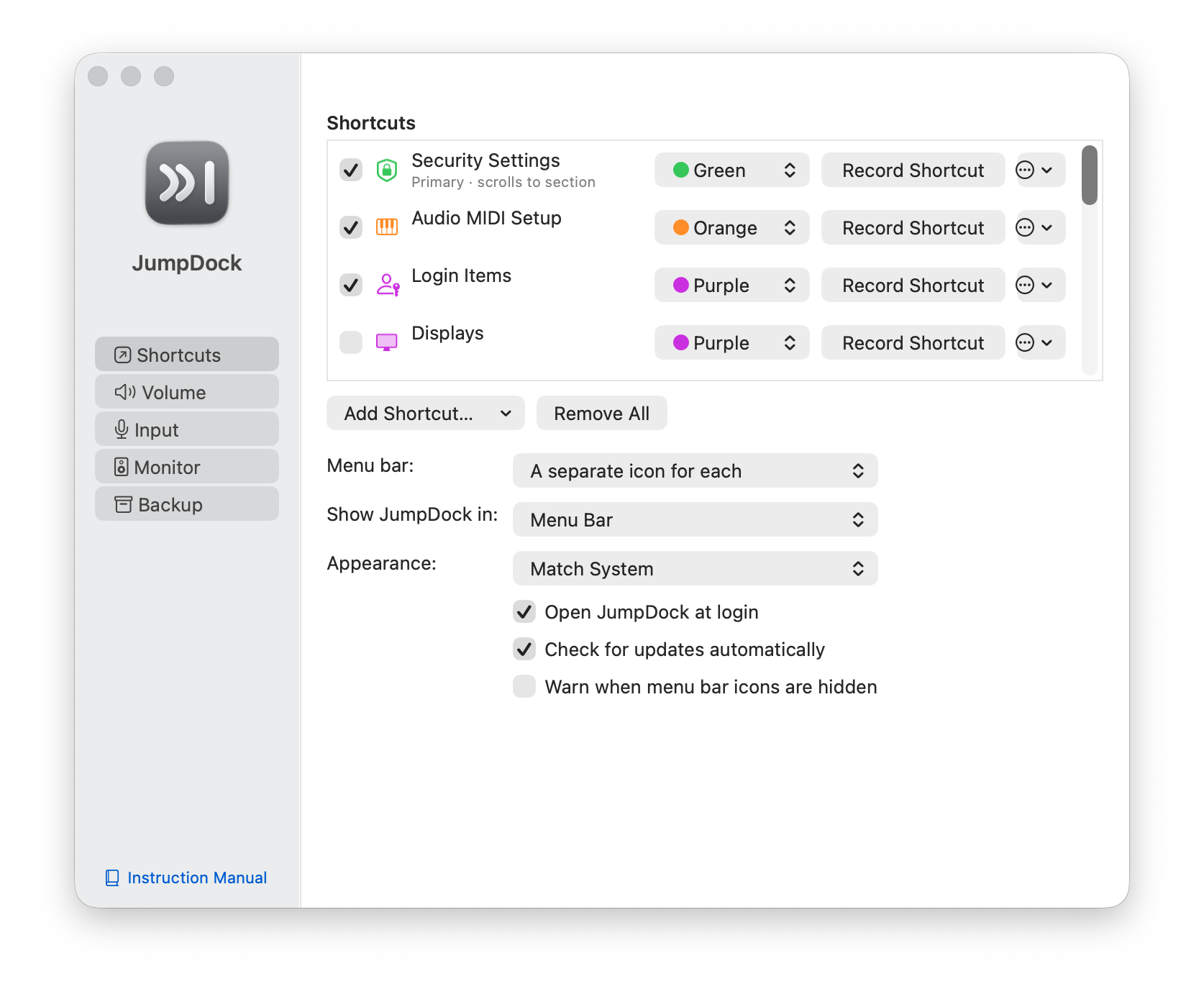
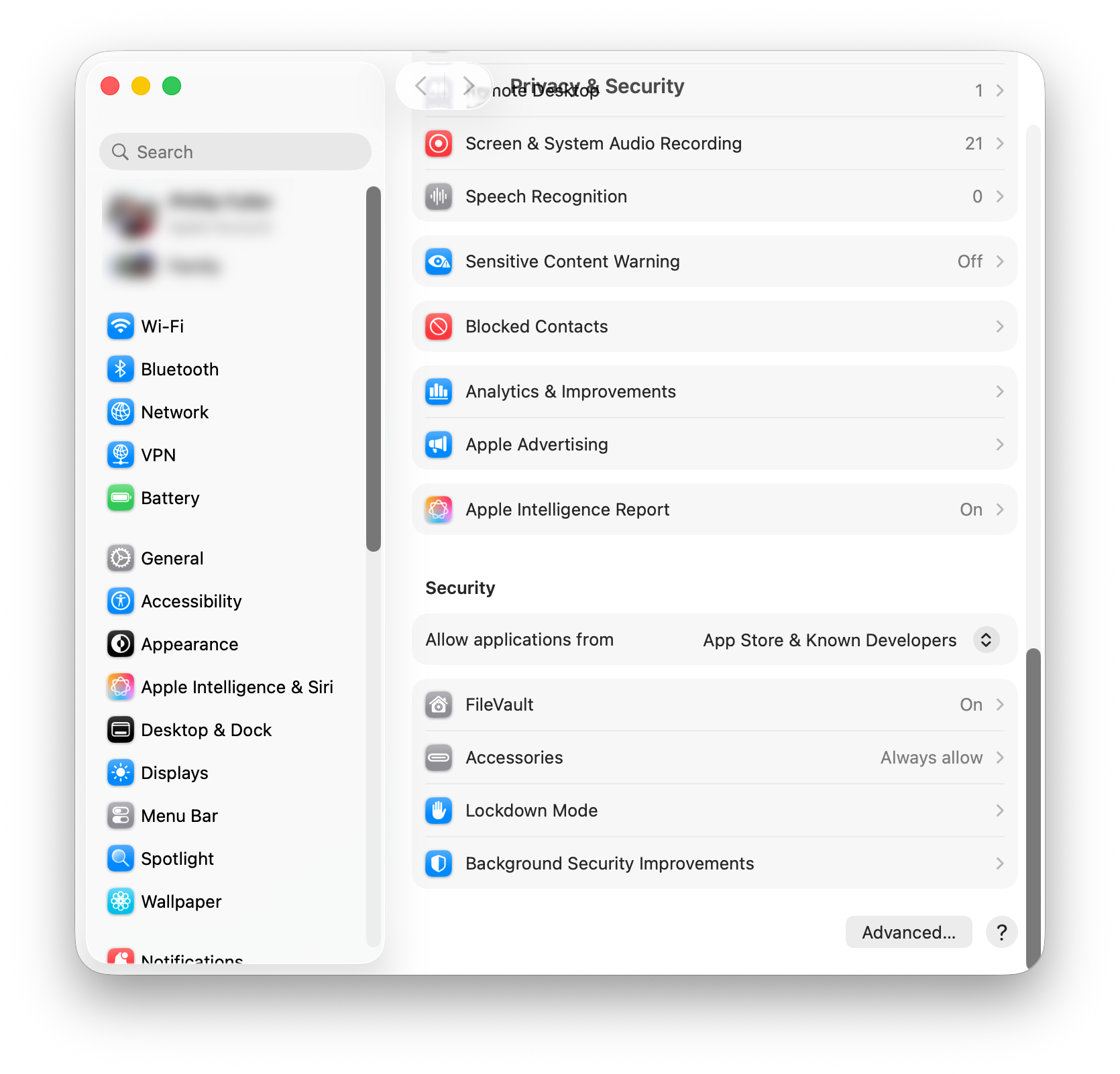
Gatekeeper, the “Allow applications from” setting and the list of blocked apps you have to approve, sits at the very bottom of a long Privacy & Security pane, and macOS gives it no direct link. Every other shortcut app can get you to the pane. JumpDock scrolls to the setting.
That is the shortcut the app started as, and you can have it free forever, or pick a different one. The free shortcut is whichever destination you turn on first, and you can change your mind whenever you like.
There is a longer explanation of why macOS gives that setting no direct link, and what to do when an app is blocked, in the Mac settings guides.
What you can reach
- Privacy sections: Screen Recording, Microphone, Camera, Location Services, Accessibility, Automation, Files & Folders
- Settings panes: Displays, Sound, Bluetooth, Network, Notifications, Focus, Keyboard, Trackpad, Sharing, Software Update, Login Items, Time Machine, Startup Disk, Users & Groups, Screen Time, Wallpaper
- Utilities: Terminal, Disk Utility, Activity Monitor, Console, System Information, Screenshot, Audio MIDI Setup, Bluetooth Explorer
- Folders: Launch Agents, Audio Plug-Ins, AAX Plug-Ins (Avid)
Thirty-six destinations, and JumpDock checks each one against your Mac, so nothing is offered that your system does not have.

And anything else on your Mac
The catalog covers what macOS buries. Everything else you reach for can be a shortcut too: any app, any document, any folder. Point one at Xcode, at the spreadsheet you open every morning, at the project folder you keep digging for.
Put several behind a single icon and it becomes a menu instead, a group. It is not a different kind of shortcut, just one holding more than one thing: add a second item and the icon starts dropping a menu, remove it and it goes back to opening what is left. A group for a project can hold the folder, the app and the one document, and mixing them is the point.
Your own shortcuts wear a badge, JumpDock's arc arriving at a letter or number you choose, in whichever color you give it, because an app icon is full color and reads as a smudge at menu bar size. The real icons appear in the menu, where there is room for them.
Move an app and it is still found; apps are remembered by identity, not by location. Move a document and JumpDock says so on the row rather than failing quietly, and a shortcut with nothing left to open keeps its place in your list and simply stands down from the menu bar until you point it somewhere else.
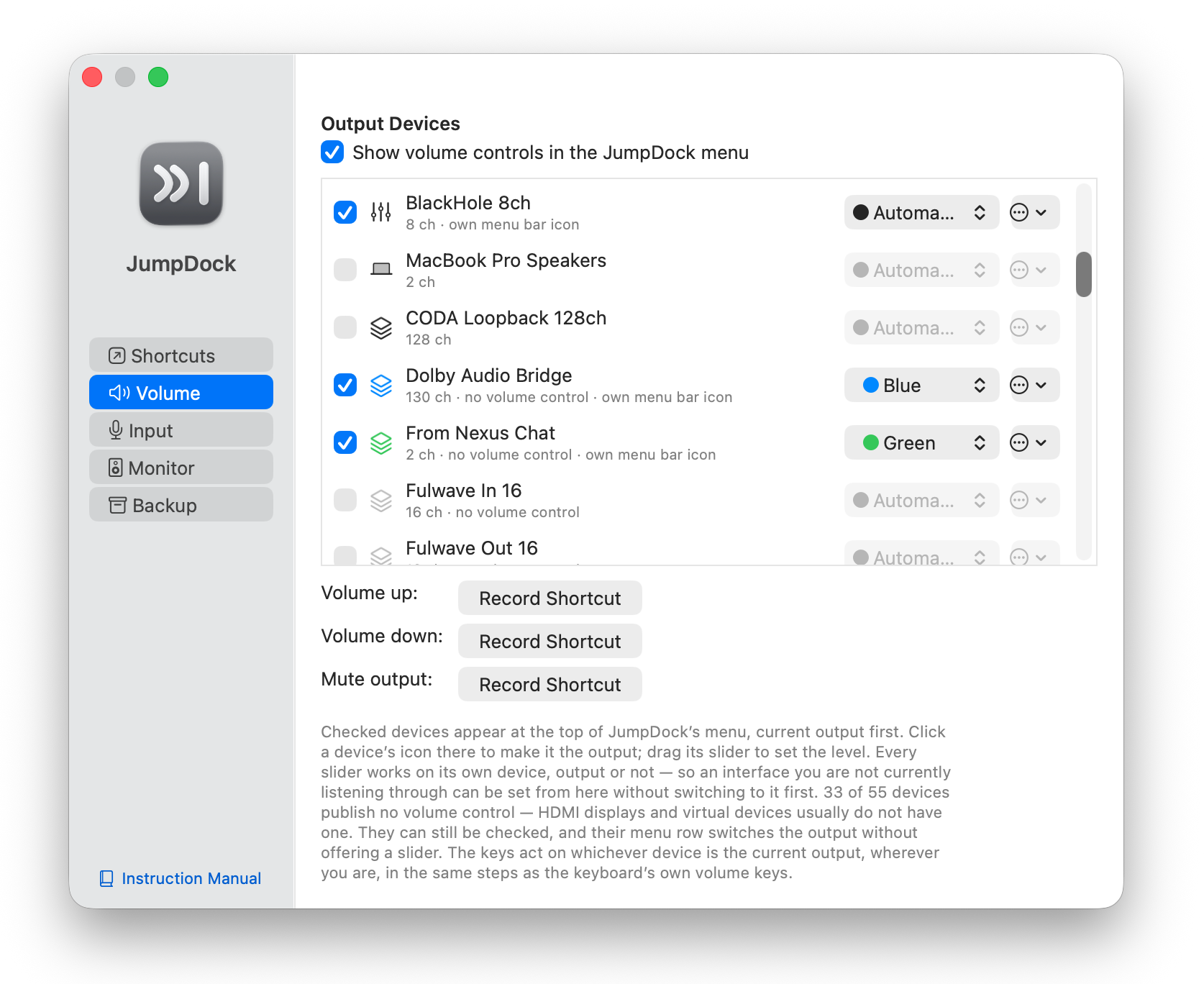
Any device's volume, not just the one in use
macOS gives you one volume control: whichever device is the current output. The menu bar slider, the keys on your keyboard, the Sound pane, all of them follow the output, and every other device on your Mac has no control at all.
JumpDock gives each one its own. Every audio output your Mac can see (the built-in speakers, your headphones, the USB interface, the display) gets a slider and a mute of its own in the same menu, and each acts on that device whether or not it is the one you are listening through. Set the interface feeding your monitors while you are on headphones. Turn a second output down before you switch to it, rather than after. Any of them can have a menu bar icon of its own, so one device is always a scroll away.
Switching output is still one click, in the same row. Setting a level and choosing an output are simply two separate gestures here, which is what lets you do either without the other.
Scroll or swipe over a sound icon to set that device's level without opening anything, up and down or sideways, and a small readout shows where it landed. Option-click or middle-click to mute. Or give volume up, volume down and mute keyboard shortcuts of their own, handy on a keyboard that has no volume keys.
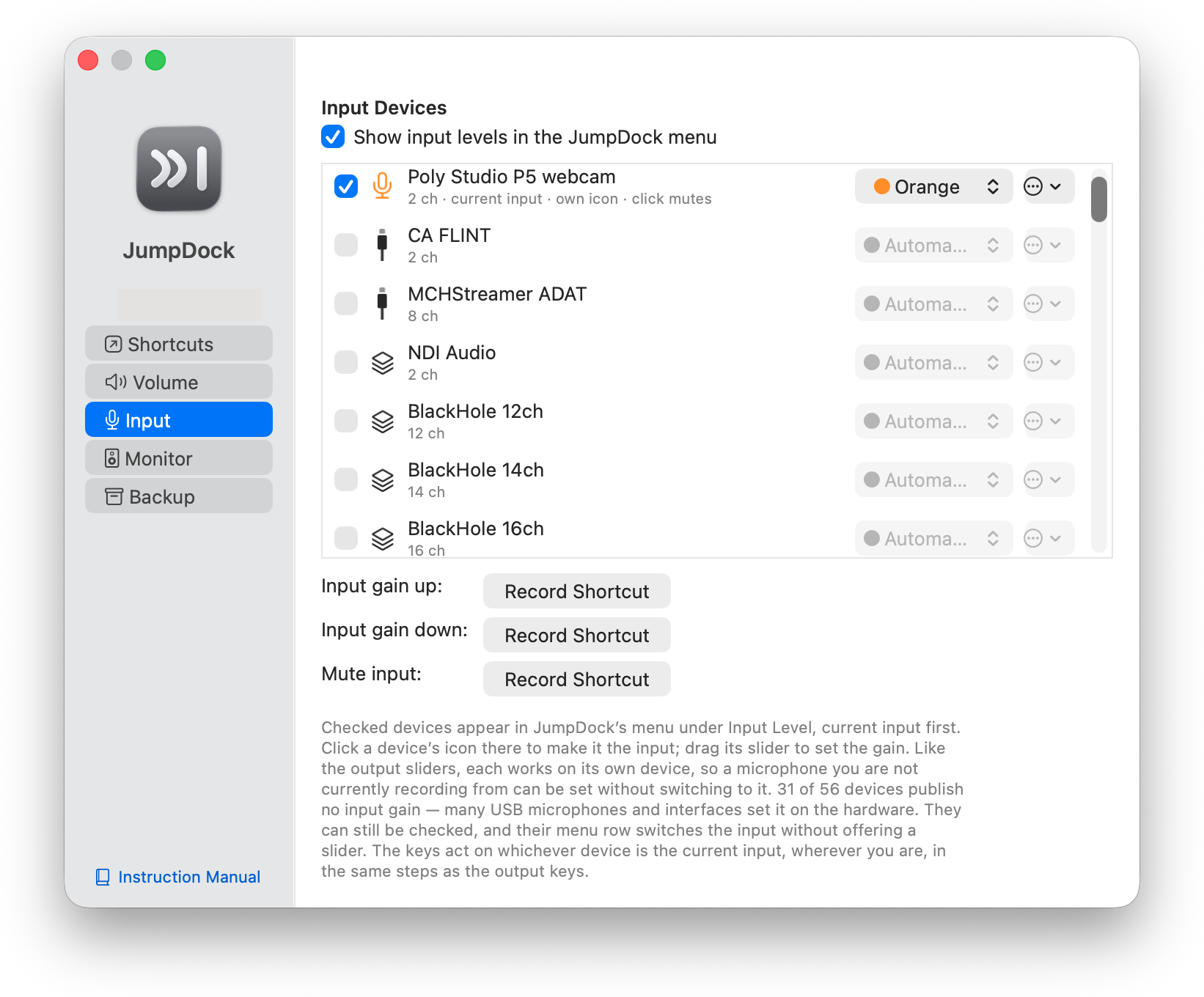
Microphones get the same: every input your Mac can see has a gain slider and a mute in the menu, each acting on its own device. A device's menu bar icon can wear any glyph you pick, shows a slashed version when muted, and can be set to mute on a click instead of opening the slider.
The Sound shortcut can join in: set it to Click Mutes, Swipe Sets Volume and its icon mutes the current output on a click, sets its level on a swipe, and lists every output to switch to on a right-click.
Fulwave Monitor in your menu bar
If you use Fulwave Monitor, JumpDock puts its masters a click away. One icon, drawn from the Fulwave mark, mutes Main on a click and moves its master on a swipe; right-click it for every matrix's slider and the eight pads from Monitor's Control window.
TalkBack can have an icon of its own that talks like a TalkBack pad (click to latch, hold to talk), and any matrix can have one too. The icons follow Monitor as it changes: slashed when muted, one wave when dimmed, and optionally a color of your choosing for each.
Make it yours
- A separate menu bar icon for every shortcut, or one icon with a menu, your choice. JumpDock tells you when the menu bar has genuinely run out of room, and stays quiet when a menu bar manager is simply holding an icon.
- A color per shortcut, so you recognize them by shape and tint.
- A keyboard shortcut per destination.
- Reorder the list; the first one is what the single icon opens.
- A menu bar icon of its own for any output device, listening through it or not, if you want that level in front of you.
- Menu bar, Dock, or both.
- Opens at login, out of your way until you need it.
- Save the whole arrangement to a file, and add it to, or restore it over, any other Mac.

Back it up, move it across
A list you have built up is real work. JumpDock writes all of it (the shortcuts, their colors, their keys, your groups, your device picks) to a single file, and reads it back.
Restoring asks which you want: Add, which keeps what you have and appends the backup's to it, or Replace, which puts the Mac back exactly as the backup found it. Add is the default, because it is the one that cannot lose anything, and it is how you pull a second Mac's shortcuts into the list on this one without having to choose between them.
Your license is deliberately not in the file. A backup is something you might email to yourself, so it carries no key, and it does not need to, since one license covers every Mac you own. Restore, paste the same key, done.
About permissions
Only one shortcut needs Accessibility access: the Gatekeeper jump, because scrolling that pane is the only way to reach a section macOS gives no link to. Every other shortcut is a plain link or an app launch and asks for nothing. Turn the scrolling off and JumpDock needs no permission at all.
No accounts. No ads. No tracking. Once a day at most, JumpDock asks fulwave.com for the latest version number so it can tell you when an update is out. That request sends nothing about you, and you can turn it off in Preferences and use Check for Updates… instead. Enter a license key and JumpDock also checks it with Lemon Squeezy, and re-checks it now and then when it opens, sending the key and your Mac's name, nothing else. Those are the only connections it makes. Once activated, a license never times out for lack of internet, so it works on Macs that are never online.
The privacy policy covers all of it.
Free, and paid
One shortcut is free and always will be: whichever one you enable first, yours to change at any time. A paywall in front of a single one-click shortcut would make the app useless rather than limited.
A one-time $4.99 license makes the rest of your list active too, each with its own menu bar icon, color and keyboard shortcut, and turns on the volume controls. There is no seat limit: one license covers every Mac you own. Buy it once, use the same key everywhere.
Requirements
macOS 13 Ventura or later. Universal: Apple silicon and Intel. Signed and notarized by Apple.