
Fulwave Designer
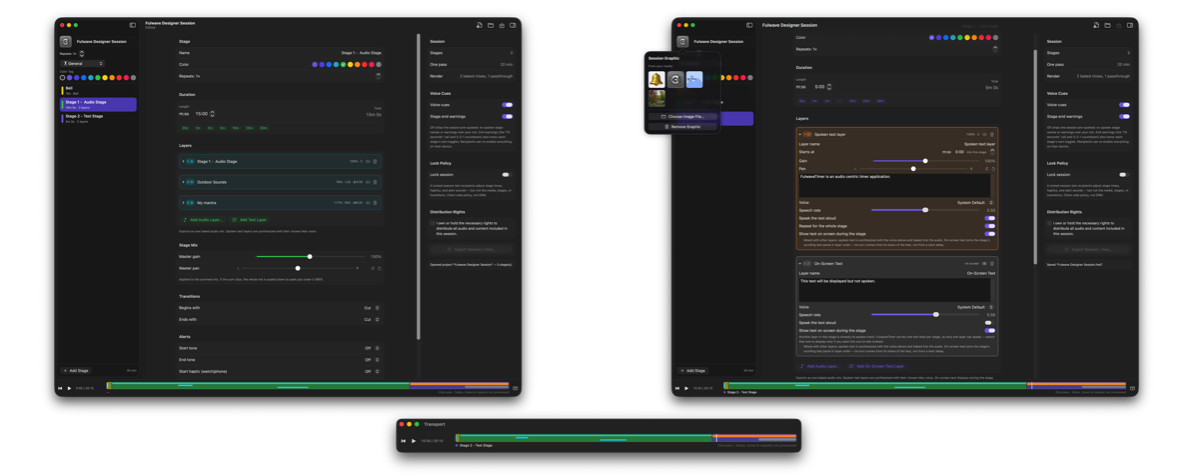
The free Mac companion to FulwaveTimer. Layer audio and spoken text into
multistage sessions, mix each stage, and export a single .fws file to play
on iPhone.
- Layer as many audio tracks per stage as you need, each with its own start
delay, gain, and pan, plus a spoken cue and on-screen text
- Hear changes live with a transport that plays the whole session timeline —
fades and crossfades included. Baked speech runs through the same mix, so what you audition is what ships; speech you leave live is spoken on the listener's iPhone instead, in whatever voice they choose
- Color-code stages and tag sessions to stay organized
- Export a locked or editable .fws to share with anyone running FulwaveTimer
- No account, no in-app purchases, nothing leaves your Mac unless you
export and send it
Download Fulwave Designer free on the Mac App Store. Requires macOS 14 or later.