Mac, plugins and MIDI
Fulwave Designer Direct
The same Fulwave Designer, with Audio Unit plugins and MIDI.
Two additions the Mac App Store's sandbox does not allow: Audio Unit plugins and MIDI control. Everything else is the same app.
- Price
- Free
- Requires
- macOS 14 or later, notarized by Apple
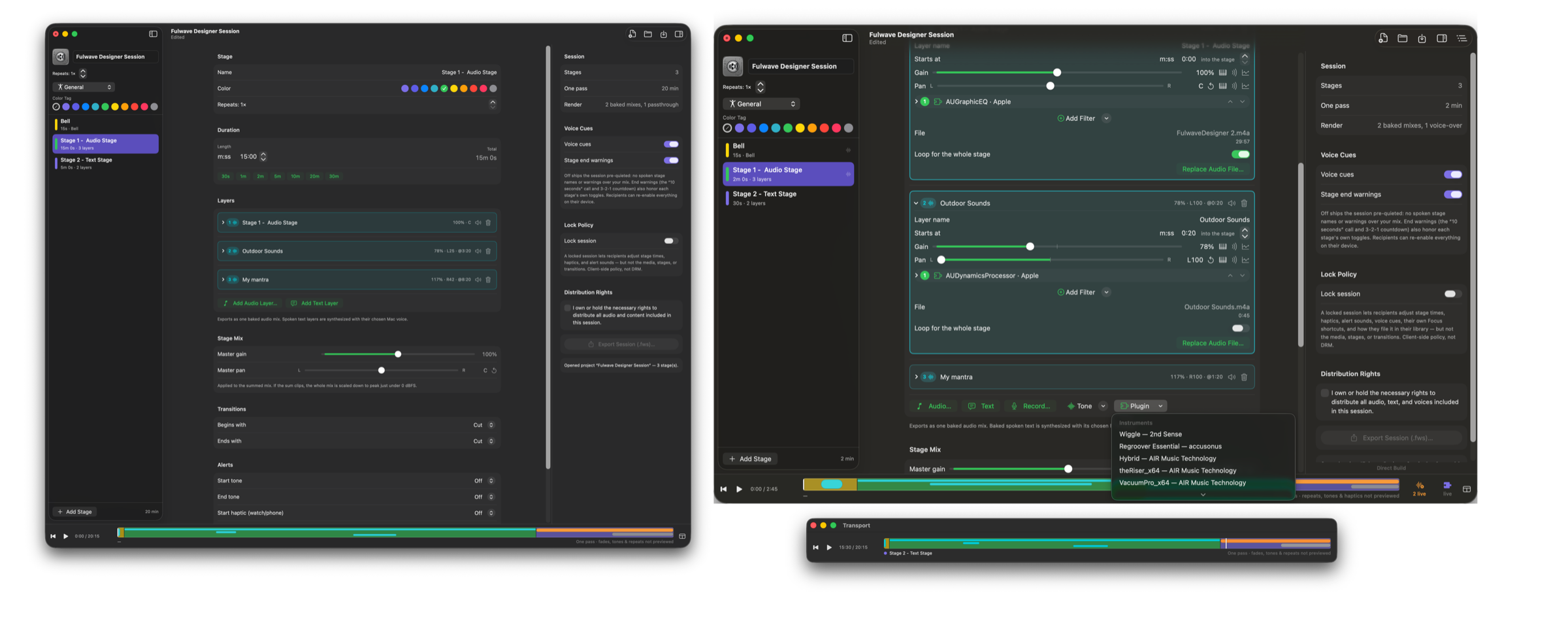
Plugins
- Put any Audio Unit effect on a layer, or on the whole stage mix, beside the built-in filters.
- Add an instrument layer: a synth holding a chord, played by a plugin you already own.
- Audition eight seconds of an instrument, or Hold it and open its window while it sounds. Turn a knob and hear it as you turn it, through the layer's own filters.
- Plugins run live as the session plays, in the same order the export applies them.
MIDI
Wire a knob on a MIDI controller to any gain or pan control.
Everything else is the same
The same layers, filters, delay, movement, drawn curves, recording, Simple and Full, rendering and export. A project made in either version opens in the other with nothing lost; plugin layers stay silent in the App Store version and say so.
It installs beside the App Store version, and the window says “Direct Build” so you can tell them apart. Free. No account. Notarized by Apple. Requires macOS 14 or later.